# About
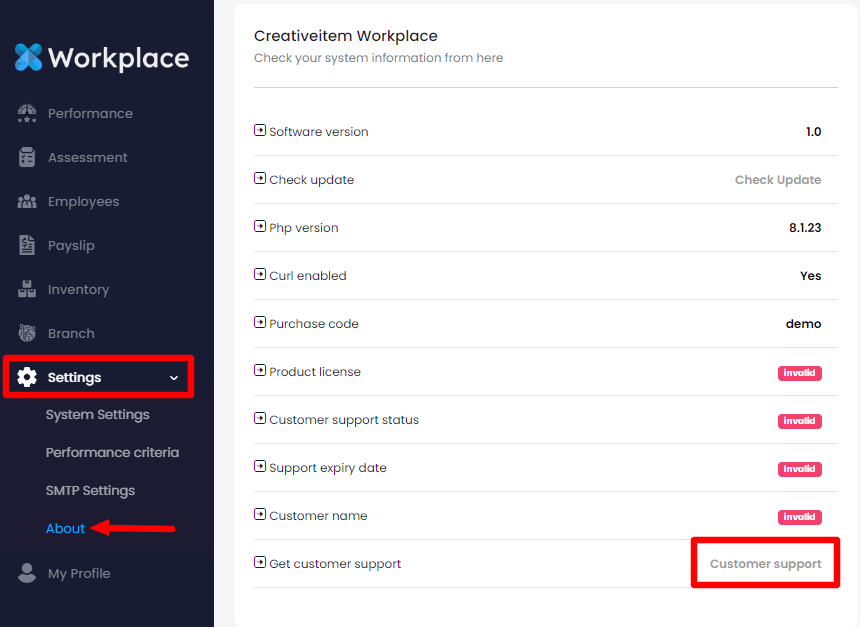
In this settings panel, you can get complete information about your application. The below steps can be followed for this:
Login as admin
Select the "Settings" option from the left menu
Choose the "About" option from the sub-menu
Here you can:
Check the current software version
Look for a new version
Check the PHP version
Change the curl status
See the purchase code
Overview of the purchase code status
Support expiry date
Customer name
Also, you can get customer support from this panel. For this, you have to select the "Customer Support" option.