# SMTP Settings
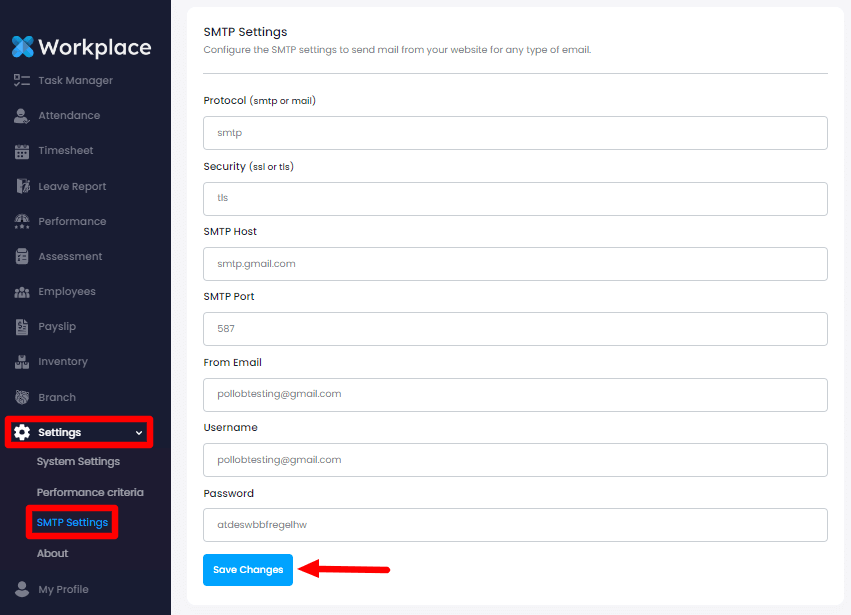
You can configure the SMTP settings as an admin. To configure the SMTP setting for your application, you can follow the steps below:
Login as admin
Select the "Settings" option from the left menu
Choose the "SMTP" option from the sub-menu
Here you can modify:
SMTP Protocol
Security
SMTP Host
SMTP Port
Email Address
Username and
Password
After modifying the changes click on the "Save Changes" button for saving the changes.